Cricket Live Activities on iPhone, explained
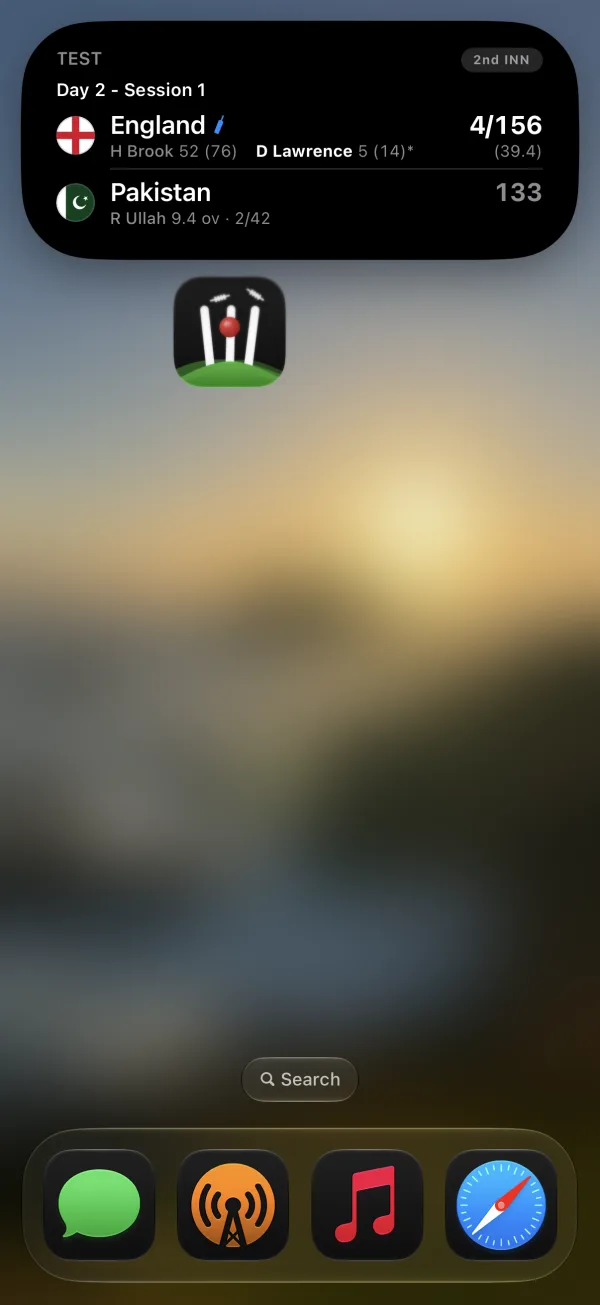
Third Slip is a cricket Live Activities app for iPhone. Its live scorecard stays on your Lock Screen and in the Dynamic Island, updating in place as the match moves on.
Why it suits cricket: a match can run for hours or days. A Live Activity gives you the score when you want it, without a notification after every ball.
Live Activity, widget or notification?
- Live Activity: appears for the match, updates ball by ball, then leaves when play ends.
- Widget: stays on your Home Screen whether cricket is on or not.
- Notification: arrives once. More updates mean more alerts.
How Third Slip starts one
You have three choices:
- Automatic: follow a team, series or competition and its matches can start by themselves.
- Scheduled: choose Start When Play Begins, useful for an overnight first ball.
- Manual: open a match and tap the bolt.
What happens during a Test?
Third Slip splits Tests into separate days. Each day's Live Activity ends at stumps, and a new one can start for the next day's play. Breaks such as lunch, tea, rain and bad light are labelled, so a paused score still makes sense.
Where else it appears
The same Live Activity can show in the Dynamic Island, the Apple Watch Smart Stack and CarPlay. One match, one live surface, wherever you are already looking.
Try your first three free
Third Slip is free to download. Your first three Live Activities are included.